
Genie GS-1930 daily inspection checklist
The pre-use inspection checklist for the Genie GS-1930 electric scissor lift, ready to print or download as a PDF.
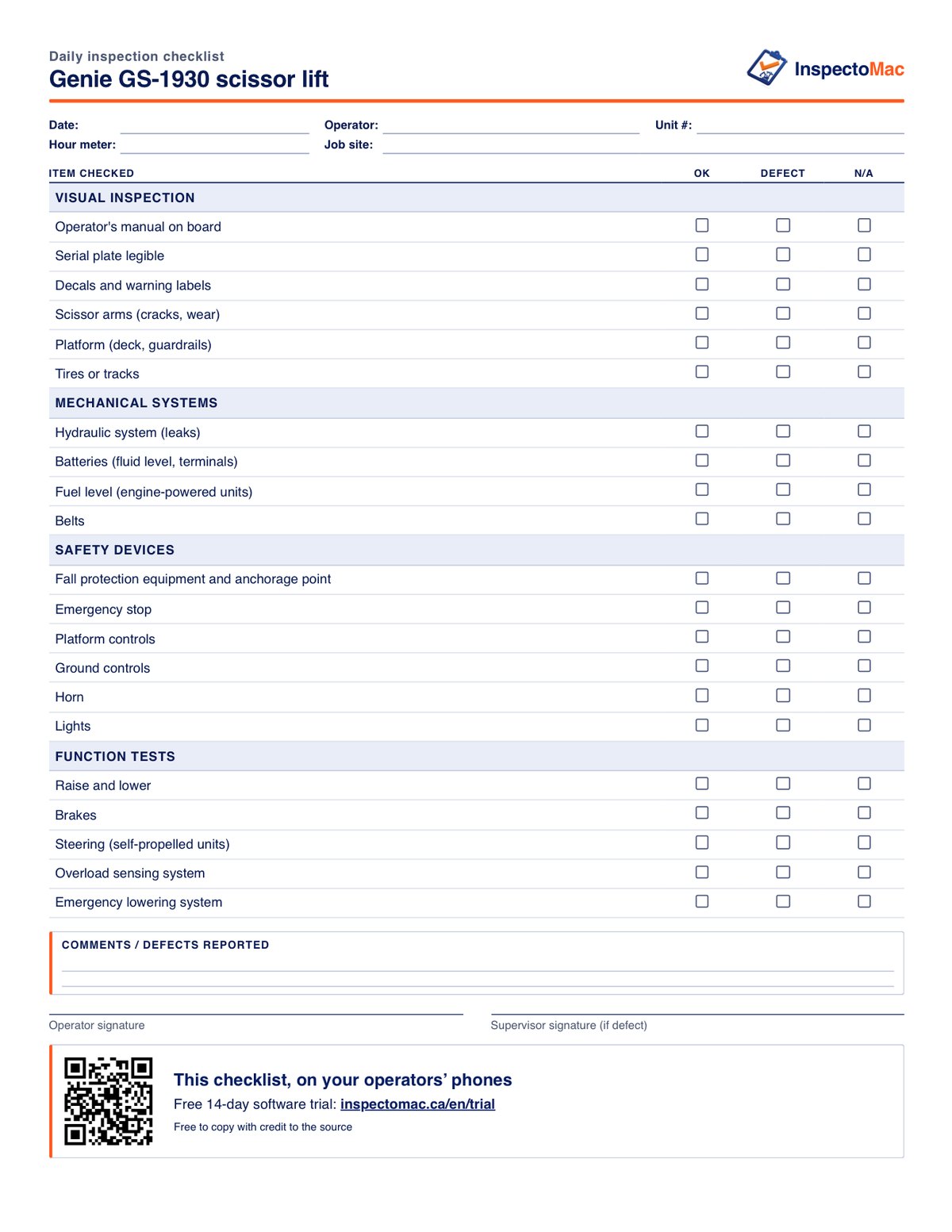
The Genie GS-1930 is a narrow electric scissor lift built for slab and indoor work: its platform rises to about 19 ft (5.8 m). Several rental companies in Québec carry it in their fleets. A loose guardrail, a hydraulic leak or an emergency stop that doesn’t respond all become dangerous once the platform is up. The inspection is done while the machine is still on the ground.
Already used on construction sites in Québec: more than 100 inspections done in the field.
This checklist is also in the InspectoMac software: the same checkpoints on the phone, a photo of the defect, the signature, and a report the supervisor can review.
Free 14-day trialNo credit card needed. Without a card on file, you’re never charged — not during the trial, not after.
Why inspect the Genie GS-1930 before the shift?
In Québec, the safety rules for construction sites are in the Safety Code for the construction industry (S-2.1, r. 4). Check the official text for the inspections that apply to this machine.
In British Columbia, a work platform “must be inspected before use on each shift, and after any modification” (OHS Regulation, Part 13, s. 13.3), and the employer keeps inspection, maintenance and repair records for each elevating work platform (s. 13.22).
Other provinces and territories have their own rules. Check the regulation that applies on your site.
The machine’s operator’s manual also calls for a visual inspection by the operator before every shift, followed by function tests. So the platform operator does the inspection, and their signature confirms they checked this machine on this date.
This daily check does not replace the other inspections set by the manufacturer or by the regulation that applies on your site.
What do you check on a Genie GS-1930?
The checklist below is the one InspectoMac provides for scissor lifts. It has four sections: visual inspection, mechanical systems, safety devices and function tests.
On a GS-1930, you start on the ground: the manual in its storage box, the serial plate and decals legible, the scissor arms free of cracks, the deck, the guardrails and the tires. Next come hydraulic leaks and the batteries; fuel level is marked N/A on this electric model. You finish with the tests: emergency stops, ground and platform controls, horn, raise and lower, brakes, steering, the overload sensing system and emergency lowering. The operator’s manual for your machine remains the reference for model-specific checks. InspectoMac is not affiliated with Genie.
What to do when an item fails?
A failed item gets written down, not worked around. The operator notes what they saw, takes a photo if it helps show the problem, and tells their supervisor before the platform goes up.
The machine’s manual is clear on what comes next: a damaged or malfunctioning machine is tagged and taken out of service until it is repaired. The follow-up then stays with the same machine: who was told, what was repaired, and when the platform went back to work.
The inspection checklist, item by item
Here is the full checklist, with the same checkpoints as in the software. You can print it straight from this page, download the PDF to fill in by hand, or fill it in on your phone.
Letter-size PDF, one page, to print and fill in by hand. Free.
Daily inspection checklist — Genie GS-1930 (scissor lift)
21 points, 4 sections — the checklist used in the software.
Visual inspection
- Operator's manual on board
- Serial plate legible
- Decals and warning labels
- Scissor arms (cracks, wear)
- Platform (deck, guardrails)
- Tires or tracks
Mechanical systems
- Hydraulic system (leaks)
- Batteries (fluid level, terminals)
- Fuel level (engine-powered units)
- Belts
Safety devices
- Fall protection equipment and anchorage point
- Emergency stop
- Platform controls
- Ground controls
- Horn
- Lights
Function tests
- Raise and lower
- Brakes
- Steering (self-propelled units)
- Overload sensing system
- Emergency lowering system
In the software, every checked item is dated, signed and kept with the photo of the defect.
Other checklists in English: Skyjack SJIII 3219 · Genie GTH-844 telehandler · Mast climbing work platform
Frequently asked questions
How many points are on the Genie GS-1930 scissor lift inspection checklist?
The checklist has 21 points, grouped in 4 sections, the same checkpoints as in the InspectoMac software. It fits on one letter-size page.
Is the PDF free?
Yes. The PDF is free to download and prints on one page, to fill in by hand before the shift.
Can you do this inspection on a phone?
Yes. The same checkpoints are in the InspectoMac software: the operator scans the machine’s QR code, checks each item, takes a photo of any defect and signs. The inspection is dated and stored, even with no signal on site.