
Mast climbing work platform daily inspection checklist
The daily inspection checklist for mast climbing work platforms, often called a “Fraco” on Québec job sites, ready to print or download as a PDF.
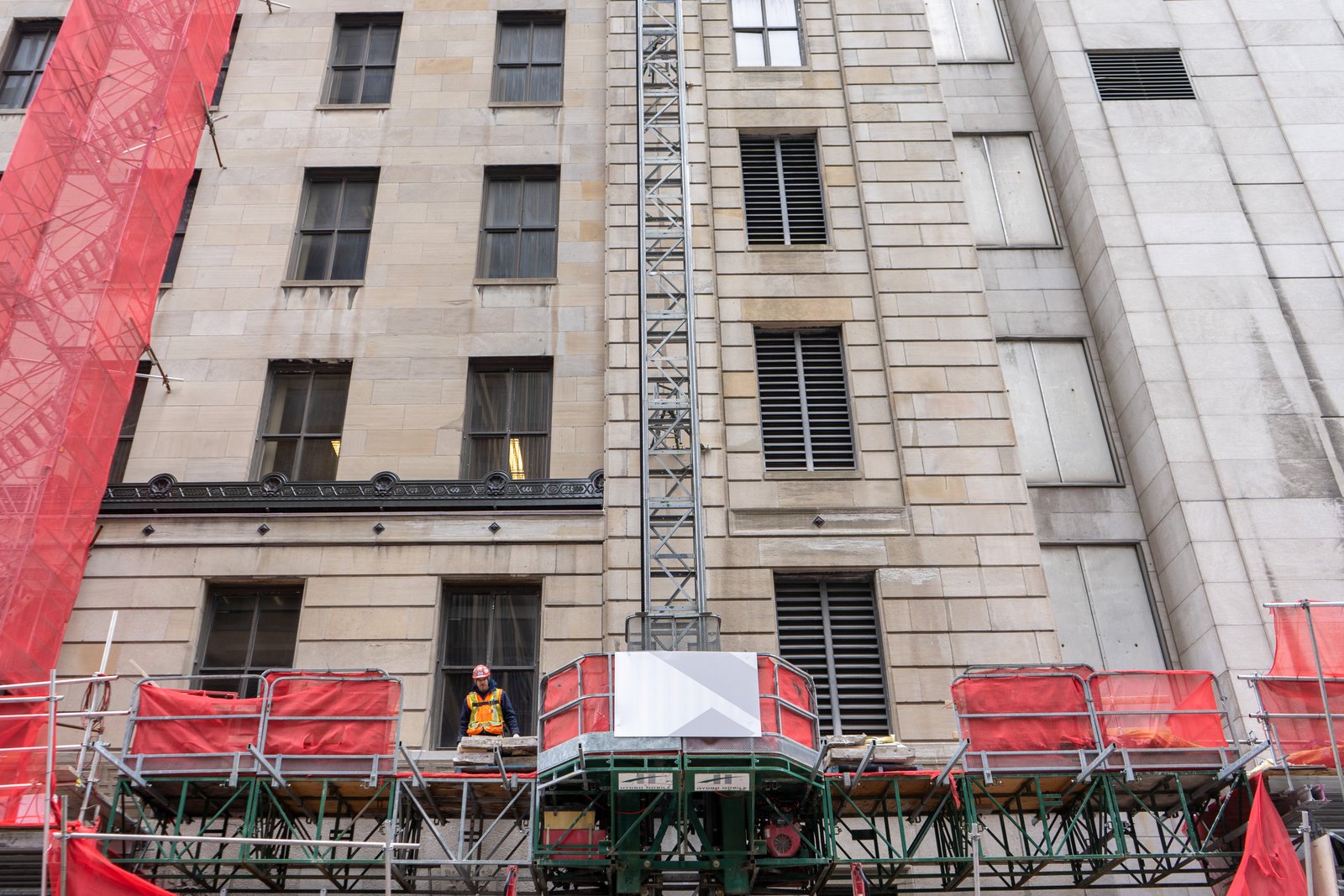
A mast climbing work platform climbs a mast tied into the building, with the crew and their materials on the same deck. A tie that has worked loose, a missing pin or a damaged guardrail is out of sight once the platform is up. The pre-use inspection is there to catch them while the platform is still on the ground.
Already used on construction sites in Québec: more than 100 inspections done in the field.
This checklist is also in the InspectoMac software: the same checkpoints on the phone, a photo of the defect, the signature, and a report the supervisor can review.
Free 14-day trialNo credit card needed. Without a card on file, you’re never charged — not during the trial, not after.
Why inspect a mast climbing work platform before use?
In Québec, the safety rules for construction sites are in the Safety Code for the construction industry (S-2.1, r. 4). Check the official text for the inspections that apply to this machine.
In British Columbia, a work platform “must be inspected before use on each shift, and after any modification” (OHS Regulation, Part 13, s. 13.3).
Other provinces and territories have their own rules. Check the regulation that applies on your site.
That is why the platform operator does the inspection, because they are the one standing in front of the equipment. Their signature confirms that this person checked this equipment on this date.
What do you check on a mast climbing work platform?
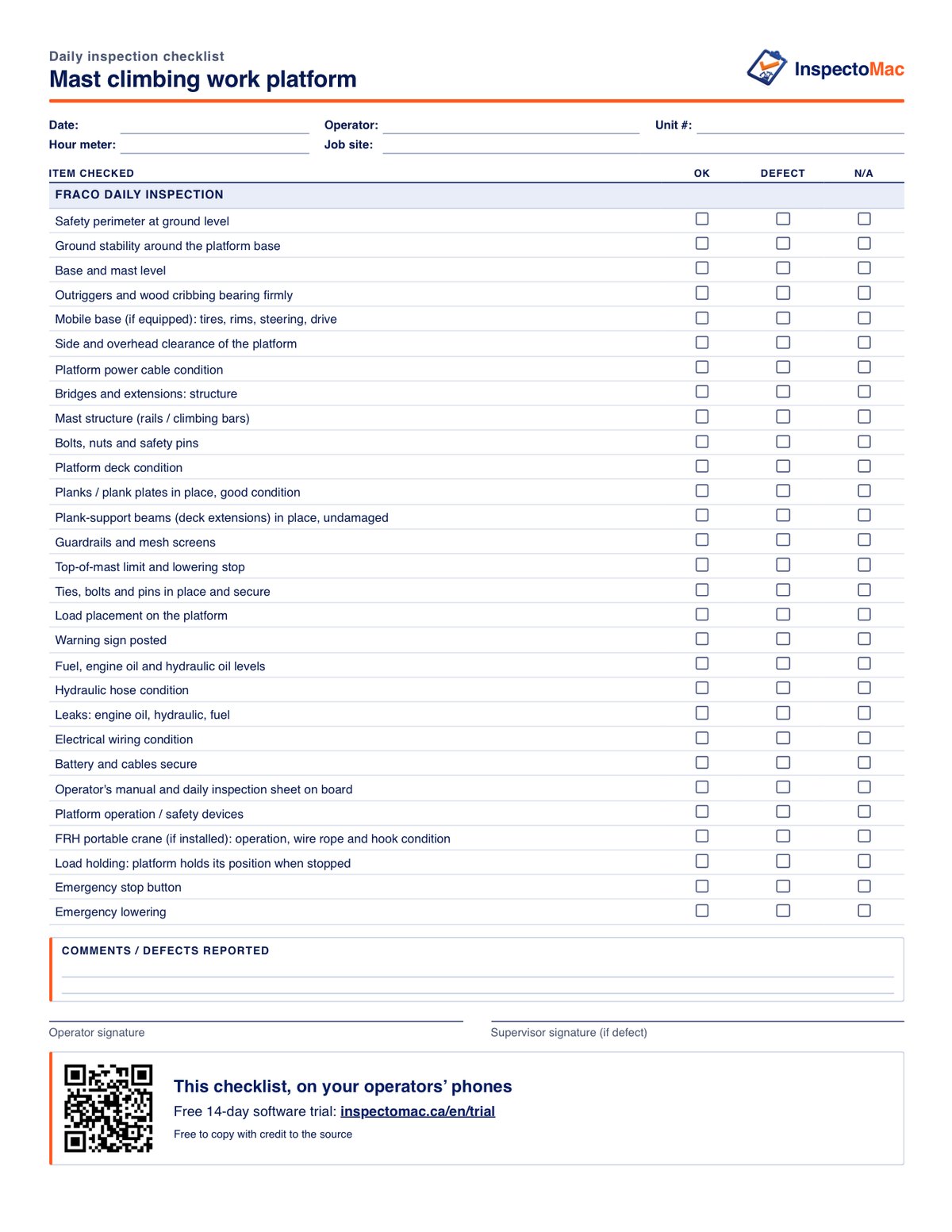
The checklist below is the one InspectoMac provides for mast climbing work platforms. It is a single daily inspection section of 29 points, done in order.
The order follows a walk around the equipment: first the ground (safety perimeter, ground stability, base and mast level, outriggers and cribbing, mobile base if there is one), then the clearances around the platform and the power cable. Next comes the structure: bridges and extensions, the mast with its rails and climbing bars, bolts and pins, the deck, planks, plank-support beams, guardrails and mesh, the top-of-mast limit and the ties. You also look at how the load is placed and at the warning sign, then the fluid levels, hoses, leaks, wiring, battery, and the manual and inspection sheet. You finish with the tests: the platform and its safety devices, the FRH portable crane (if installed) with its wire rope and hook, load holding when stopped, the emergency stop button and emergency lowering. InspectoMac is not affiliated with Fraco.
What to do when an item fails?
A failed item gets written down, not worked around. The operator notes what they saw, takes a photo if it helps show the problem, and tells their supervisor before the platform leaves the ground.
After that, the follow-up has to stay with the same equipment: who was told, what repair was made, and when the platform went back to work. The checklist shows the problem; the follow-up shows it was fixed.
The inspection checklist, item by item
Here is the full checklist, with the same checkpoints as in the software. You can print it straight from this page, download the PDF to fill in by hand, or fill it in on your phone.
Letter-size PDF, one page, to print and fill in by hand. Free.
Daily inspection checklist — Mast climbing work platform
29 points, 1 section — the checklist used in the software.
Fraco daily inspection
- Safety perimeter at ground level
- Ground stability around the platform base
- Base and mast level
- Outriggers and wood cribbing bearing firmly
- Mobile base (if equipped): tires, rims, steering, drive
- Side and overhead clearance of the platform
- Platform power cable condition
- Bridges and extensions: structure
- Mast structure (rails / climbing bars)
- Bolts, nuts and safety pins
- Platform deck condition
- Planks / plank plates in place, good condition
- Plank-support beams (deck extensions) in place, undamaged
- Guardrails and mesh screens
- Top-of-mast limit and lowering stop
- Ties, bolts and pins in place and secure
- Load placement on the platform
- Warning sign posted
- Fuel, engine oil and hydraulic oil levels
- Hydraulic hose condition
- Leaks: engine oil, hydraulic, fuel
- Electrical wiring condition
- Battery and cables secure
- Operator's manual and daily inspection sheet on board
- Platform operation / safety devices
- FRH portable crane (if installed): operation, wire rope and hook condition
- Load holding: platform holds its position when stopped
- Emergency stop button
- Emergency lowering
In the software, every checked item is dated, signed and kept with the photo of the defect.
Other checklists in English: Skyjack SJIII 3219 · Genie GS-1930 · Genie GTH-844 telehandler
Frequently asked questions
How many points are on the mast climbing work platform inspection checklist?
The checklist has 29 points, grouped in 1 section, the same checkpoints as in the InspectoMac software. It fits on one letter-size page.
Is the PDF free?
Yes. The PDF is free to download and prints on one page, to fill in by hand before the shift.
Can you do this inspection on a phone?
Yes. The same checkpoints are in the InspectoMac software: the operator scans the machine’s QR code, checks each item, takes a photo of any defect and signs. The inspection is dated and stored, even with no signal on site.